AI Office Design: How Dojo, OfficeSpace, and Big Tech Are Redefining Workplace Strategy
Modern office design has entered a new era.
A New Era of Office Design for Small Businesses
Office design used to be about taste—open vs. closed offices, trendy finishes, conference room counts. Today it’s about survival and strategy. With vacancy high, budgets tight, and hybrid work deeply embedded in company culture, small and midsize businesses are asking questions that never mattered a decade ago:
- How much space do we truly need?
- Which teams actually need to sit together?
- How do we justify build-outs, amenities, and rent when desks sit empty half the week?
Traditional planning—static test fits, political seating charts, and one-and-done build-outs—can’t keep up with rapidly shifting work patterns. That’s where AI-assisted planning tools and Big Tech’s design experiments align: together they show a path toward flexible, data-driven workplace design that helps businesses avoid costly mistakes and make faster, more confident decisions.
This guide synthesizes three streams shaping the future of workplace strategy:
- What modern AI planning tools actually do
- How real-world case studies have translated AI insights into millions in savings
- What Big Tech campuses reveal about the next generation of office design
The result is simple: AI isn’t here to replace your office manager — it’s here to make every decision more grounded, more flexible, and more financially sound.
1. What AI Space Planning Actually Does
AI office-planning platforms—Dojo being a well-known example prior to its acquisition—were built to solve a problem every business faces: how to make every square foot perform at its highest value.
These tools don’t “design” in the creative sense. Instead, they:
- Analyze how your people actually use space
(badge data, reservations, sensors, meeting patterns) - Forecast future demand
(remote ratios, headcount changes, hybrid schedules) - Identify which teams truly need adjacency
(based on collaboration data, not guesswork) - Generate multiple planning scenarios
(restacks, consolidations, alternative seat models)
Instead of one static test fit, you get options—ranked by utilization, adjacency quality, and cost impact.
This is the core shift: office planning becomes scenario modeling, not a single design exercise.
2. Why This Matters: Faster Planning, Clearer Decisions, Real Savings
Small businesses often feel that “AI planning” is something only Fortune 100 HQs can afford. But the principles scale down perfectly—and the case studies show why.
Faster Planning Cycles
In large portfolios, AI-assisted tools have cut planning cycles by nearly half. For a smaller tenant, that means you can:
- Move faster during renewals
- Respond more quickly to headcount changes
- Test “what if” scenarios before spending on architects
- Avoid expensive design reversals
Millions in Avoided Excess Space
In one New York portfolio example, AI modeling revealed that 10 buildings had below-50% true occupancy. After scenario testing, the company released floors and saved roughly $10M per building annually.
Small tenants experience the same dynamic—just scaled:
- A 12,000 SF tenant realizing they only need 7,500 SF
- A 6,500 SF company discovering they can consolidate to one floor instead of two
- A firm learning that certain teams don’t require adjacency, unlocking cheaper configurations
This isn’t theory; it’s math.
Politics → Data
One of the most useful outcomes for small companies:
AI removes the personal politics around desk assignments, team placement, and who gets preferred areas.
When scenarios are ranked by:
- Collaboration needs
- Efficiency
- Projected utilization
…it becomes far easier to align leadership around a decision.
Clarity on RTO Behavior
Many businesses don’t know who is actually using the office.
AI consolidates:
- Badge data
- Reservations
- Sensors
…into a single truth, revealing which teams genuinely benefit from being onsite. This lets you tailor:
- RTO guidelines by department
- Seat ratios
- Neighborhood layouts
- Amenity placement
…and determine whether expanding, renewing, or downsizing is the smartest move.
3. What Big Tech Offices Teach Small Tenants About AI-Ready Design
AI gives you the intelligence layer. Big Tech campuses provide the design clues. You don’t need a $300M HQ—but you can adopt the logic behind them.
Samsung: Movement & Natural Light
Samsung’s curved buildings encourage visibility, circulation, and wellness.
For tenants, the principle is clear:
- Prioritize internal movement
- Maximize natural light exposure
- Use corridors, stairs, and transparency to increase interaction
AI can model foot traffic and optimize these flows.
LinkedIn: 75 Seating Types & Hybrid Zones
LinkedIn reduced assigned desks and replaced them with:
- Social entry zones
- Mid-floor collaboration hubs
- Deep-focus areas at the back
Takeaway for small tenants:
You don’t need more space—you need different, more purposeful space.
AI can show which seat types actually get used.
Adobe: Experimental Rooms & Color Psychology
Adobe’s Lab 82 tests configurations, lighting, sound, plants, and color.
Small companies can replicate the idea with:
- One “experimental” meeting room
- Adjustable lighting and furniture
- Simple data gathering: what do people use most?
AI thrives on those inputs.
Marriott: Hospitality as Workplace
Marriott’s HQ treats workspace like a hotel lobby—fluid, social, multifunctional. Smaller tenants can adopt:
- Café-style seating
- Moveable walls
- Lounge-forward meeting areas
AI helps determine how much amenity area you can add without compromising seats.
Cisco: Tech-First Hybrid Design
Cisco designs around hybrid equality:
- Smart cameras
- Acoustic planning
- Table shapes designed for framing
AI tools analyze meeting behavior to suggest:
- Which rooms need upgrades
- Where hybrid rooms should cluster
- Which seat types are underperforming
Amazon Spheres: Biophilia as Infrastructure
You won’t build a rainforest, but research around:
- greenery
- daylight
- restorative spaces
…shows real performance benefits. AI can help prioritize which wellness elements affect utilization most.
Google St. John’s Terminal: Modularity as Default
Google’s NYC ground-scraper uses:
- Reconfigurable neighborhoods
- Demountable rooms
- Half-floor amenity zones
For tenants, this translates to:
- Choosing modular furniture
- Avoiding heavy hardwall commitments
- Leaving space open to evolve
AI identifies when a neighborhood is “overbuilt” or underutilized.
Hypergrowth Startup Example: Transparency + Production Aligned With Revenue
The 6,500 SF Marvel-themed office shows that even small companies can use:
- Transparency
- Strong theming
- Embedded production areas
AI can help determine how much space revenue-support functions actually require.
4. Design Principles AI Can Optimize for Any Tenant
Across all examples, seven principles consistently emerge—each one measurable by modern AI tools:
- Plan for use cases, not just square footage
- Use collaboration data to dictate adjacencies
- Embrace modularity and avoid overbuilding
- Design for movement and intentional collisions
- Prioritize natural light, greenery, and wellness zones
- Support hybrid equality, not just in-person presence
- Continuously experiment and learn from utilization patterns
These are not enterprise-only concepts. They apply directly to:
- 5,000 SF tenants
- 10,000 SF users
- 25,000 SF multi-team companies
- Hybrid and flex-first workplaces
AI simply gives you the measurement system.
5. What This Means for Small and Mid-Sized Tenants
An AI-guided approach empowers tenants to:
Know exactly how much space they need
Not by guesswork, but by analyzing:
- Real occupancy
- Real collaboration patterns
- Real seat usage
Compare scenarios before committing
Examples:
- “7,500 SF vs 9,000 SF—what’s the real difference?”
- “Two floors vs one.”
- “More meeting rooms vs more desks.”
- “Different RTO policies by department.”
Negotiate more effectively
AI-backed planning strengthens your leverage with landlords by showing:
- True headcount needs
- Justifiable TI requests
- Evidence-based space requirements
- Shorter-term flexibility if hybrid patterns shift
Avoid costly build-out mistakes
When every layout option is modeled before you build, you’re operating with the same sophistication as major corporate occupiers—without the cost.
6. What This Means for Landlords
Owners benefit just as much:
- Identify underutilized floors for consolidation
- Reprogram outdated layouts into higher-demand configurations
- Build flexible, sensor-ready, hybrid-ready spaces
- Create “AI-ready buildings” that attract tenants seeking data transparency
In a high-vacancy market, assets that adapt win.
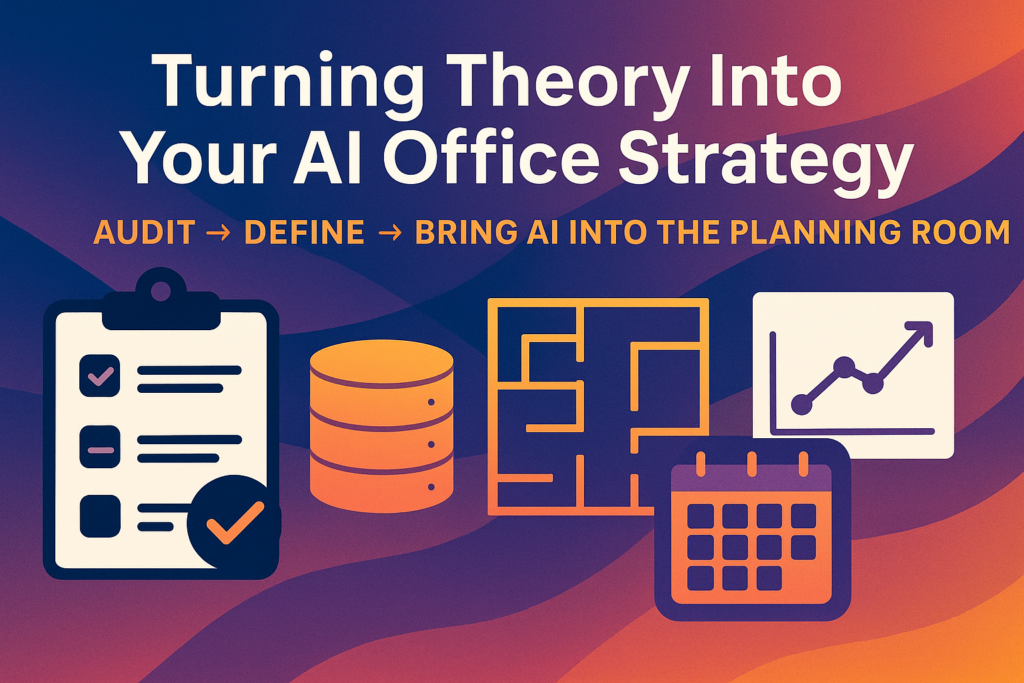
7. Your Next Steps: How to Apply AI Office Design Today
You don’t need a specialized platform to begin. Start with three moves:
1. Audit the data you have
Badge data, calendar data, room-booking patterns, team interactions.
2. Define your scenarios
Common examples:
- Same headcount, less space
- RTO policies tailored by team
- Floor consolidation
- Relocation vs renewal
3. Use AI-enabled planning (or a vendor using it) to test scenarios
The goal isn’t fancy renderings—it’s clear, ranked options that tie directly to:
- Occupancy
- Cost
- Adjacency quality
- Flexibility
- Future growth
Once the data is visible, workplace decisions stop being political or arbitrary. They become defendable.
Final Word: AI Office Design Is About Confidence, Not Gadgets
Small businesses don’t need Amazon Spheres or Google-scale campuses. They need the same thing the world’s largest occupiers have discovered:
A flexible workplace strategy guided by real data—not assumptions.
AI doesn’t eliminate the human element of office planning. It strengthens it, giving owners and office managers the insight, clarity, and confidence to invest in layouts, leases, and amenities that truly support productivity, culture, and long-term stability.
When you plan your next layout, renewal, consolidation, or relocation, this is the blueprint that will keep you ahead of competitors still designing offices “the old way.”
That’s what “AI office design” really means: not sci-fi smart buildings that think for you, but tools that finally let workplace teams quantify what they’ve always known intuitively—and defend it in the boardroom.
Ready to find your ideal office space? Let’s talk. We’ll weigh all the factors with you, show you options in different neighborhoods and classes, and ultimately help you save money and time while getting a space you’ll love.
Fill out our 📋 online form or give us a call today 📞 212-967-2061 — let’s find the right office for your business.